
Welcome!
I am excited to extend you a warm welcome to your new marketing platform.
Your free account has been created.
Let's start setting up your account
Follow the steps below to set-up your account, get your Bonuses.
Required Next Steps:
Required: ***Steps 1 - 7: are for both Free and Paid accounts.
Steps 8 - 11: are to upgrade to a paid account and take advantage of the Special Bonuses.
Click on each step to open it for more detailed instructions
You will receive 2 confirmation emails. Wait until they both arrive before clicking confirming either one of them. (It will work better, if you follow the steps in order on this page.)
One confirms that you want to create a Free Systeme.io account through Sites.ConnectedSpirit.com (you will want to open this one first, and it often comes a few minutes later)
The other one comfirms that you want to receive your bonus courses and get started with your free training.
**** Open this email first (it may take 5 minutes to arrive) - Look for the email with the subject line: "Confirm your email address."

NOTE: If you don't see this email, make sure you didn't sign up with an email address that is already attached to another Systeme account.
Click the link and you will be taken to a registration page to create your account and set your password.
This link allows you to activate your account.
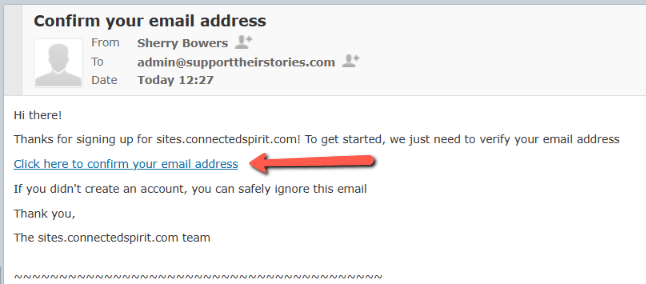
After you click the confirmation link, you will be taken to a page to enter your name and create a password. Make sure you create a Strong password. 😉
Password requirements: At least 10 characters including one lowercase, one uppercase, one number, and one special character (ex. $ ! @ #).
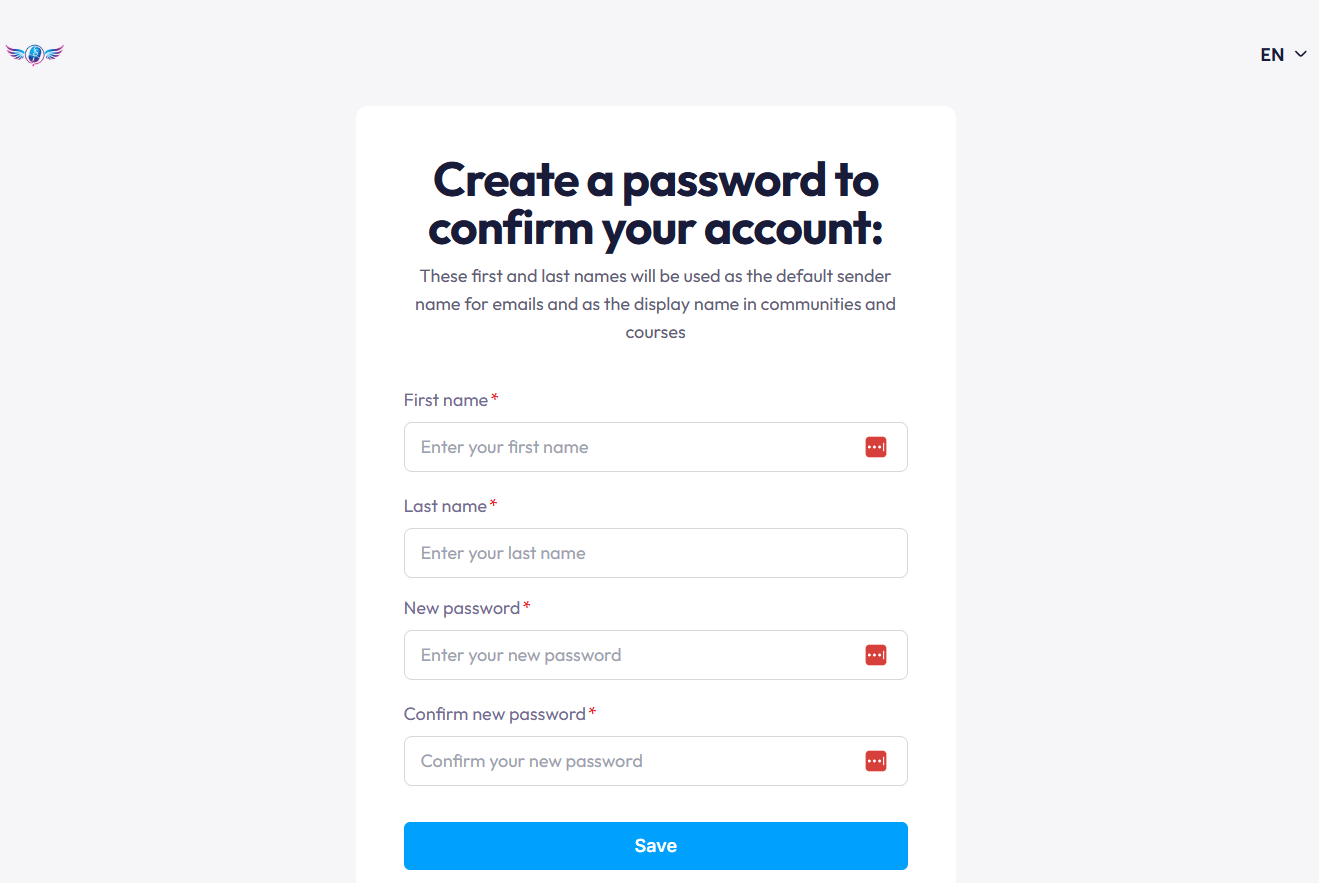
*** However, before you start exploring, please complete Steps 5 & Step 6.***
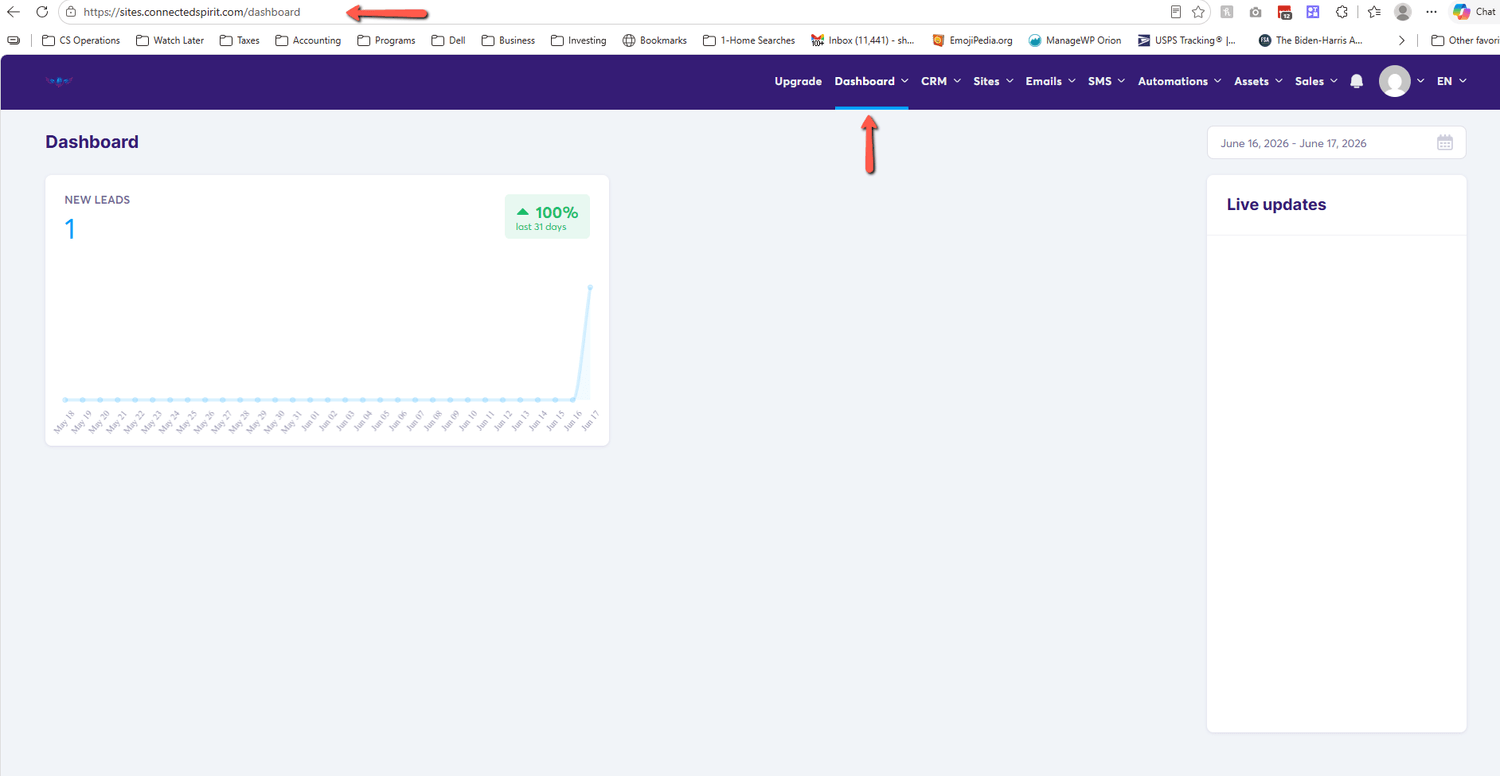
1. Look for the email with the subject line: "Action Required: Confirm Your Email"

2. Click the link inside the email - This will allow me to send you your First Bonus Courses to help you get your account set up quickly.
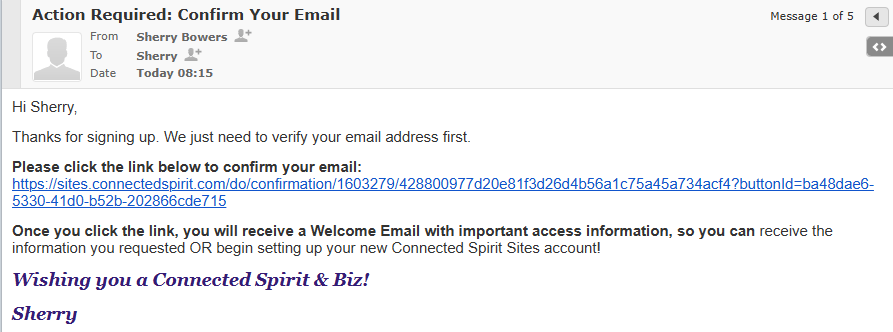
3. You will be taken to an page that says you have been confirmed and you can close that page.
NOTE: If you accidentally try to click this link again, you will see a page that says...
"404 Error - We can't find the page you are looking for".
Don't worry that simply means you are already confirmed.
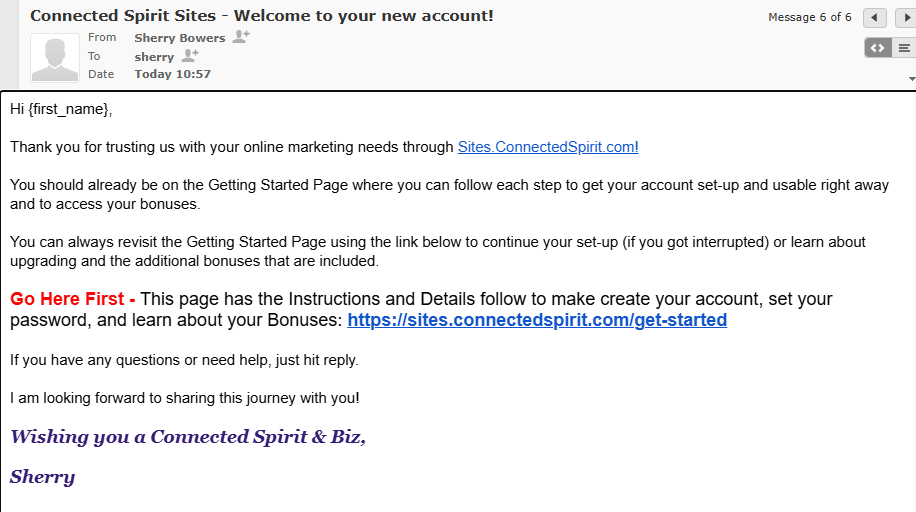
In a few minutes you will receive an official welcome email from me with a link to THIS page you can easily return in the future.
Look for an email with this Subject Line:

It will look like this:
Before you access your "Bonus" training...
Look for an email with the subject line: "ConnectedSpirit Sites - Let's get your new Connected Spirit Systeme account set up!"
This email will have important information information about your bonuses and how to create your student account to access them.
Click the "Upgrade" link in the top menu. This will take you to a page with the details for each plan on the platform. (You can jump to step 8 to learn about the Connected Spirit Bonuses before you make your upgrade choice.) 😉
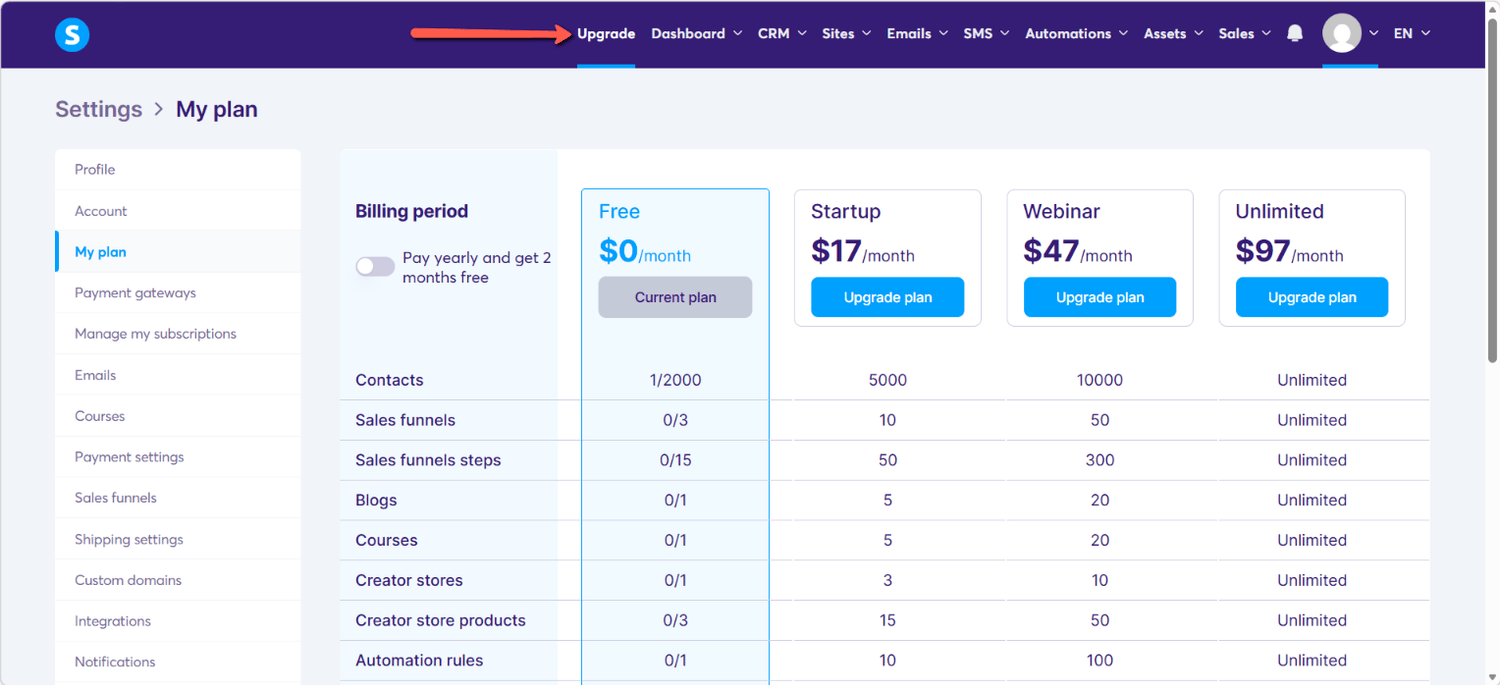
Click the Toggle button to choose a monthly payment or a yearly payment option.
When you choose the yearly option you get two months Free!
Monthly Option:

Yearly Option:

Finally, select the Plan Level that will work best for you and click the "Upgrade Plan" button. You will be taken to an order form. Once you make your payment, your account will be upgraded automatically (no waiting).
PLUS... you will receive an offical welcome email from me with instructions on how to access your Bonuses. (no waiting here either) 🥳🥳🥳